In the interview with Georg Hartl, CTO of SINOVO business solutions GmbH
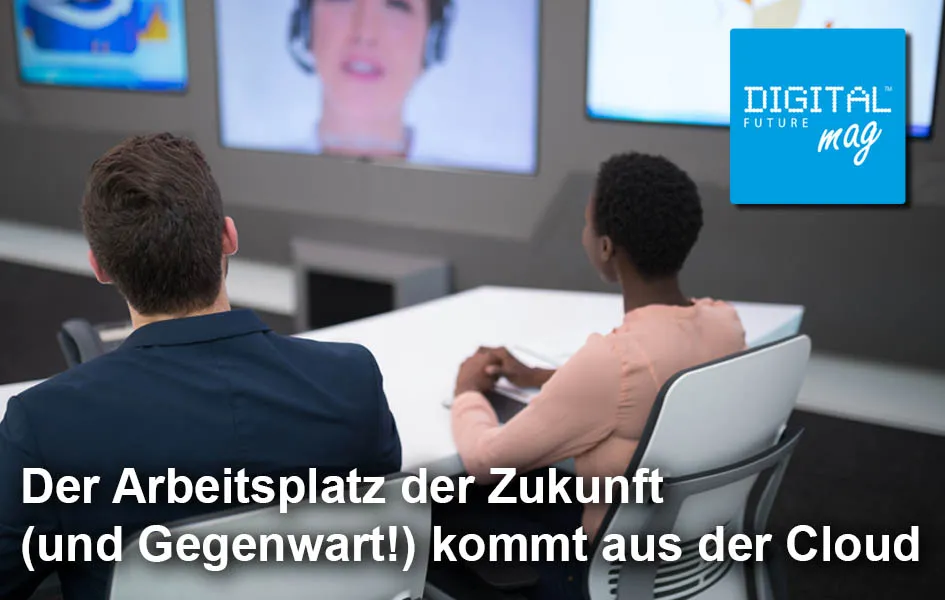
One thing is certain: the workplace of the future will come from the cloud. All experts agree on this. According to manufacturers, 90 percent of all Fortune 500 companies now use a Microsoft Azure cloud. The question is, how well or sensibly can small and medium-sized enterprises (SMEs) use it? SINOVO business solutions GmbH specialises in setting up, providing and fully servicing all the advantages of efficient processes and workflows in the cloud. With around 60 employees, the IT specialists from Frankfurt am Main focus, in their workplace solutions unit, on modular and scalable implementation using standardised packages and optional support from the Microsoft Cloud when advising and implementing digital workplaces. All services are fully covered, from migration and commissioning to the service desk. We discuss the advantages this offers SMEs and where the hurdles lie in implementation with Georg Hartl, CTO of the workplace solutions unit at SINOVO.
DIGITAL FUTUREmag: Corona suddenly changed the workplaces and opportunities for many employees. Companies that could reacted quickly and sent their staff to work from home. How well were your customers prepared for this extraordinary situation with the Microsoft Cloud?
Georg Hartl: Our pure cloud customers were able to fully benefit from the advantages of Microsoft services during individual office moves to their own four walls. After all, all offerings, such as Office 365 or Azure Cloud Services, were and are designed to be used at any time from anywhere. It was a little different for those who opted for a so-called hybrid solution, where some of the resources are in the cloud and some are within the physical company network. There, VPN connections sometimes had to be configured to ensure direct and secure access to the company. However, this was not necessary for the cloud share for the reasons already mentioned.
DIGITAL FUTUREmag: Despite the clearly recognisable trend of moving digital workplaces to the cloud, there are still many, particularly medium-sized companies, that rely on their own server, host their data independently and create backups etc. With very large data volumes, such as those that occur in architectural firms, this sounds reasonable. But is it really?
Georg Hartl: Self-hosting data always entails multiple risks and involves a certain amount of effort. With cloud hosting, you benefit from ongoing security and update strategies without any additional work, whereas self-hosting places the responsibility entirely on the company itself. Regular backups must be created. These must also be restored at certain intervals to ensure their functionality. This is where the term “disaster recovery” comes into play. In addition, a concept is needed to separate backups from the rest of the systems. Backups that are also encrypted during a ransomware attack are not really helpful. There are many more points that could be mentioned here, but that would go beyond the scope of this discussion.
In principle, companies with large data volumes can also switch to the cloud. Of course, this always depends on the respective network structure. As a rule, all data must be migrated to the cloud once. After that, traffic is limited to changes in the data records, which usually only account for a fraction of the total. An alternative would be a hybrid model in which the data remains within the company but can be accessed via the cloud. This solution would at least ensure location-independent access.
DIGITAL FUTUREmag: Migration and implementation are the first major hurdles for many companies when moving their Digital Workplace to the cloud. How do you support companies in this process?
Georg Hartl: At SINOVO workplace solutions, we support our customers before, during, and after the entire migration phase. We are also happy to act as a contact for all support matters afterwards.
DIGITAL FUTUREmag: After fully migrating all data, you also offer helpdesk services, remote management services, and take care of IT security and data backup. That sounds like a promising and carefree IT life. Is there a catch, if there is one?
Georg Hartl: The carefree IT life you mentioned is our stated goal. Our customers should be able to focus fully on their core business. The “catches” are exactly what we want to protect our clients from.
DIGITAL FUTUREmag: Currently, IT security has frequently been in the headlines at Microsoft over the past few weeks: hacker attacks, ransomware, ransom demands involving data, etc. How do you protect your customers in the cloud?
Georg Hartl: When dealing with complex system and software solutions, vulnerabilities will inevitably be discovered time and again. This applies to all IT products, and Microsoft is no exception. Take, for example, the recently disclosed vulnerability in the MS Exchange Server—only on-premises Exchange installations were affected. In such cases, IT administrators on-site are responsible for promptly applying new security updates. However, this requires that there is someone in the respective company who continuously focuses on IT and the current security situation. In many SMEs, this is simply not feasible.
Exchange Online services, on the other hand, were not affected by the vulnerability. Depending on the type and scope of the cloud infrastructure, we offer our clients very individualized security features, ranging from simple access restrictions and encryption to threat analysis using artificial intelligence (AI). Should a successful attack occur for any reason, systems can be restored from automated cloud-internal backups within minutes.
DIGITAL FUTUREmag: Costs play a major role when selecting IT systems. Especially in the long term, companies want to make the right decisions. According to Microsoft, 9 out of 10 Fortune 500 companies now use Microsoft Azure Cloud. Does it also make sense for SMEs to invest in this?
Georg Hartl: With the ongoing advancement of digitalization, this makes sense for small and medium-sized enterprises in several ways. Even if they only host a small system locally, such as the Exchange Server mentioned earlier, personnel must be allocated for this. The same applies to the maintenance of hardware and software.
Additional savings potential arises from the elimination of hardware procurement. New server components often represent a significant cost factor. By moving to the cloud, expenses become predictable. The scalability within the cloud also ensures maximum flexibility. If hardware requirements change, these can be easily adjusted in Azure. With a local system, this is often not as straightforward.
Furthermore, continuous ancillary costs such as electricity do not apply to cloud customers.
DIGITAL FUTUREmag: Finally, a question about failover security and the required internet data line. What data rate would you recommend for a company with 30 employees that wants to outsource all IT to a data center?
Georg Hartl: You can't say that across the board. It depends heavily on the working methods of the respective company. If its team primarily works from home, then relatively low bandwidth is not a problem for the company, as traffic in this case occurs between the home workplace and the cloud. If, on the other hand, all colleagues are on-site at the company, then it again depends on the “daily business.” There is a big difference between whether it mainly takes place in Office 365 or if larger data volumes need to be transferred regularly. For this reason, detailed consultation with an experienced partner is absolutely effective and, in case of doubt, saves a lot of trouble, money, and above all time.
DIGITAL FUTUREmag: Wonderful. Thank you very much for your time and the informative conversation.